Plugin workflow
How QuizOut turns a post into a quiz.
Once you have access, install the WordPress plugin. It adds generation, editorial review, placement, scoring, and analytics to the publishing workflow you already use.
Installation to reader play
From plugin activation to reader play.
Every step after installation happens through WordPress. There is no separate quiz builder to learn.
-
01
Install and start free
10 free quizzes to start, then 3 a month. Your 30 days start with your first successful quiz. No account or card required.
Once you have access, activate the plugin without signing up. QuizOut creates a free site connection so you can generate your first quizzes.
-
02
Choose eligible content
Select the post types that may receive quizzes, choose automatic or manual placement, and decide whether approval is required.
-
03
Publish the post
Publish in WordPress as usual. The plugin queues generation in the background using the title and article content.
-
04
Review and approve
Open the post in wp-admin to check the quiz, edit it, regenerate it, approve it, or keep it hidden.
-
05
Let readers play
The plugin renders the approved quiz with the post, scores each play locally, and records analytics and optional leads in WordPress.
Real WordPress product tour
See QuizOut inside WordPress
These screenshots show QuizOut on an example WordPress site, from connecting the plugin to a reader’s result.
Play a quiz demo →-
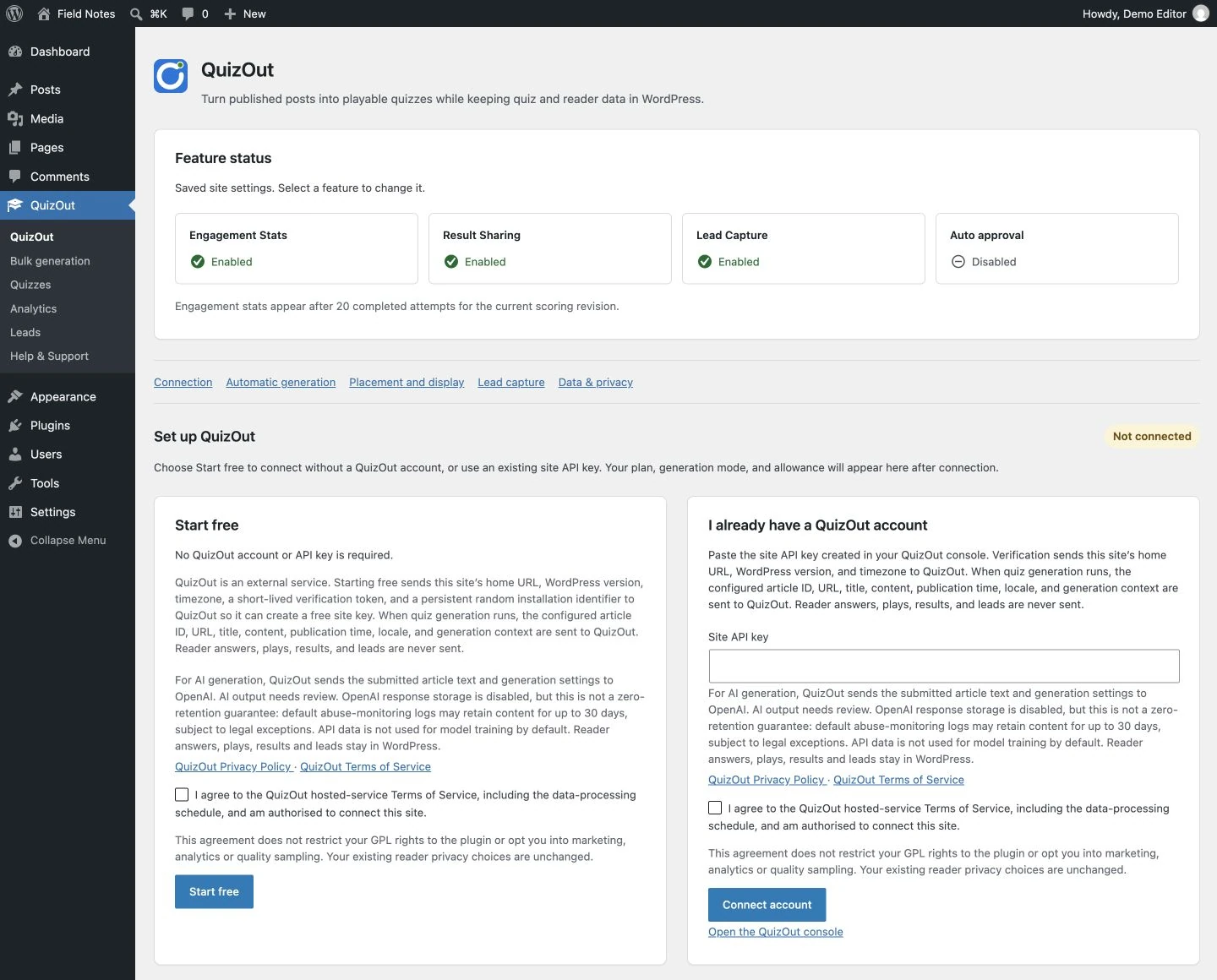
01 Review the service details, then start free or connect a site key from your QuizOut account.
View screenshot 1 at full size -
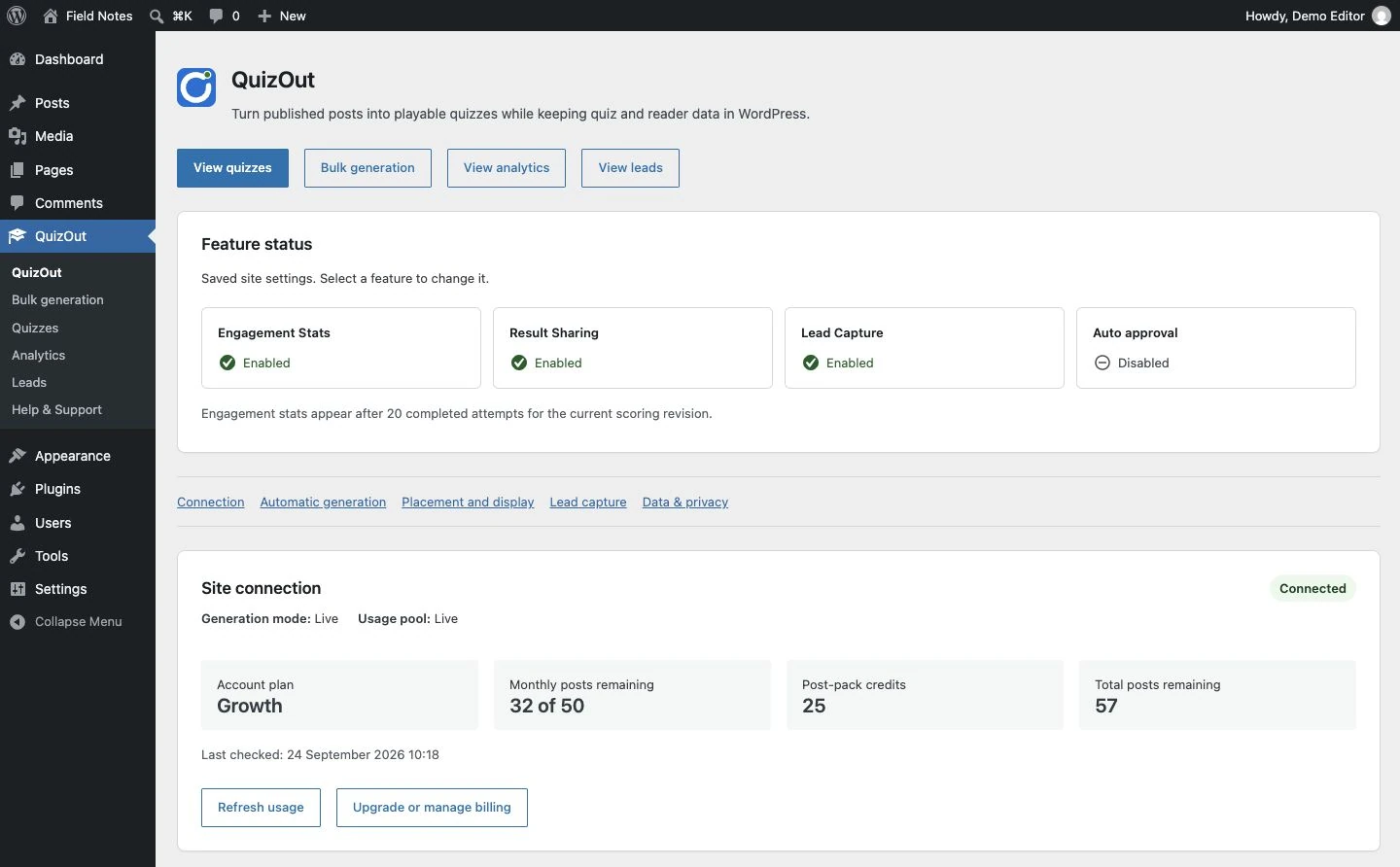
02 Check feature settings, your account plan, generation mode, and available monthly and post-pack credits.
View screenshot 2 at full size -
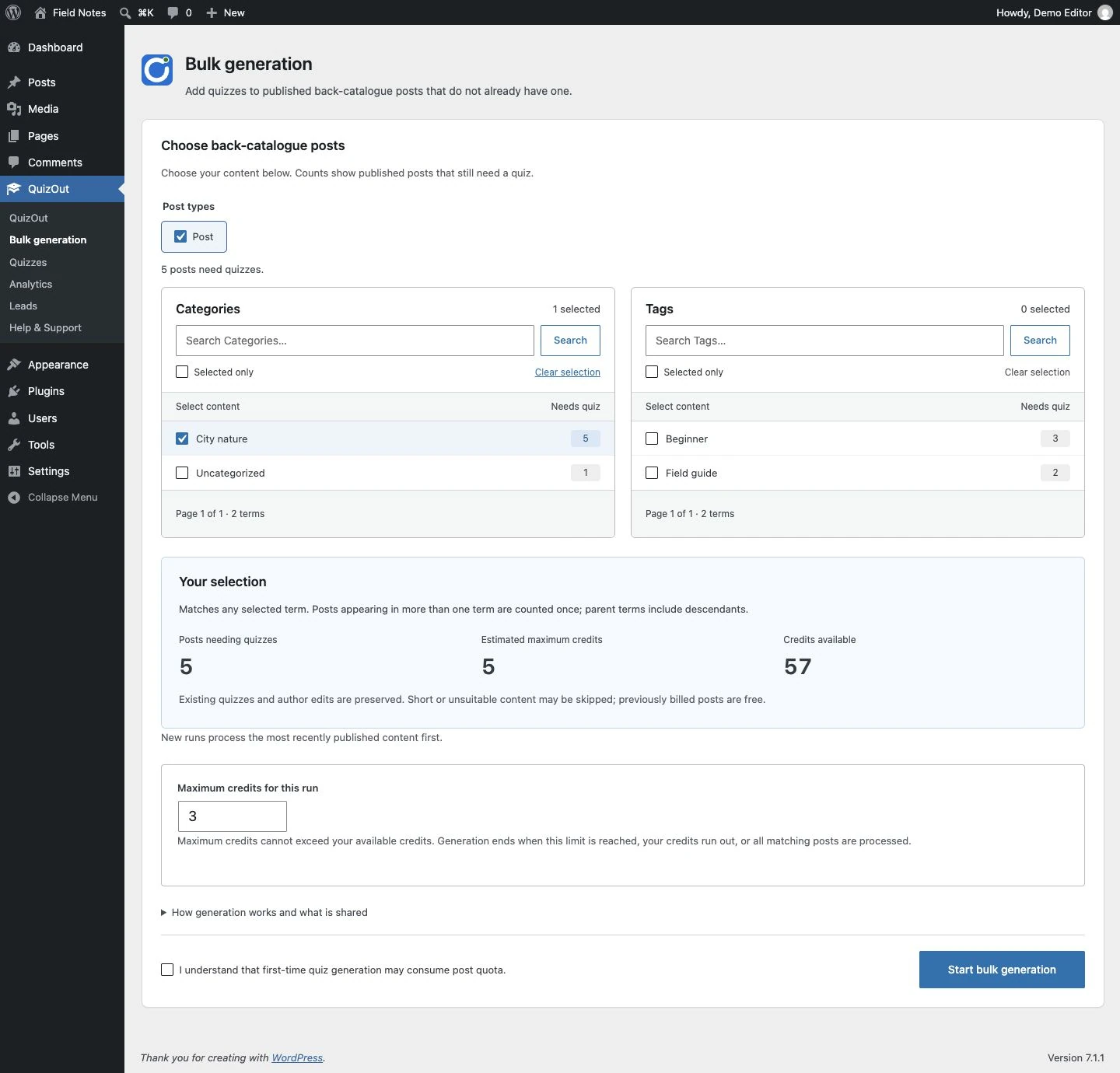
03 Find published posts by category or tag, check estimated credits, and set a maximum for each bulk run.
View screenshot 3 at full size -
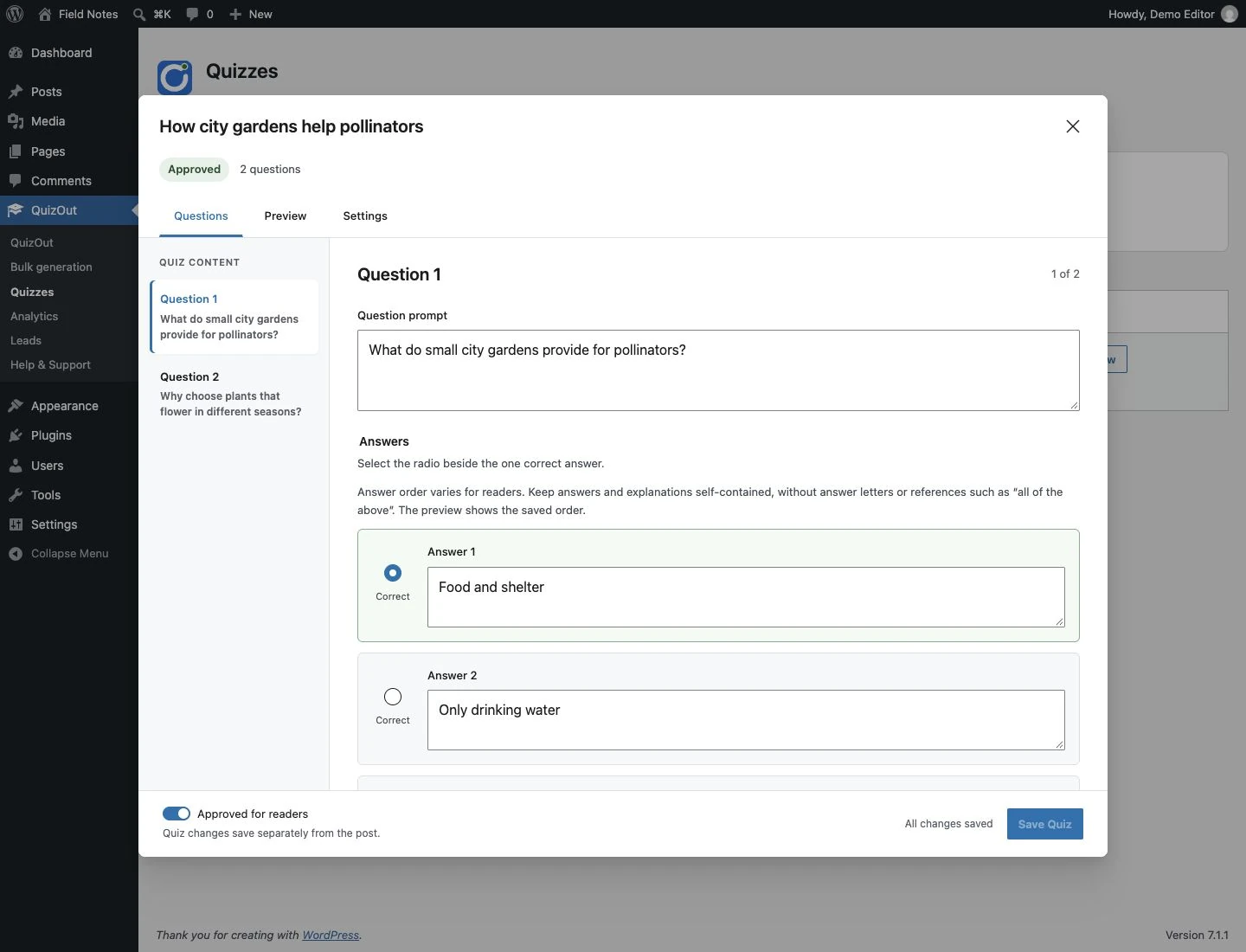
04 Open a quiz from the library to edit questions and answers, preview it, and approve it for readers.
View screenshot 4 at full size -
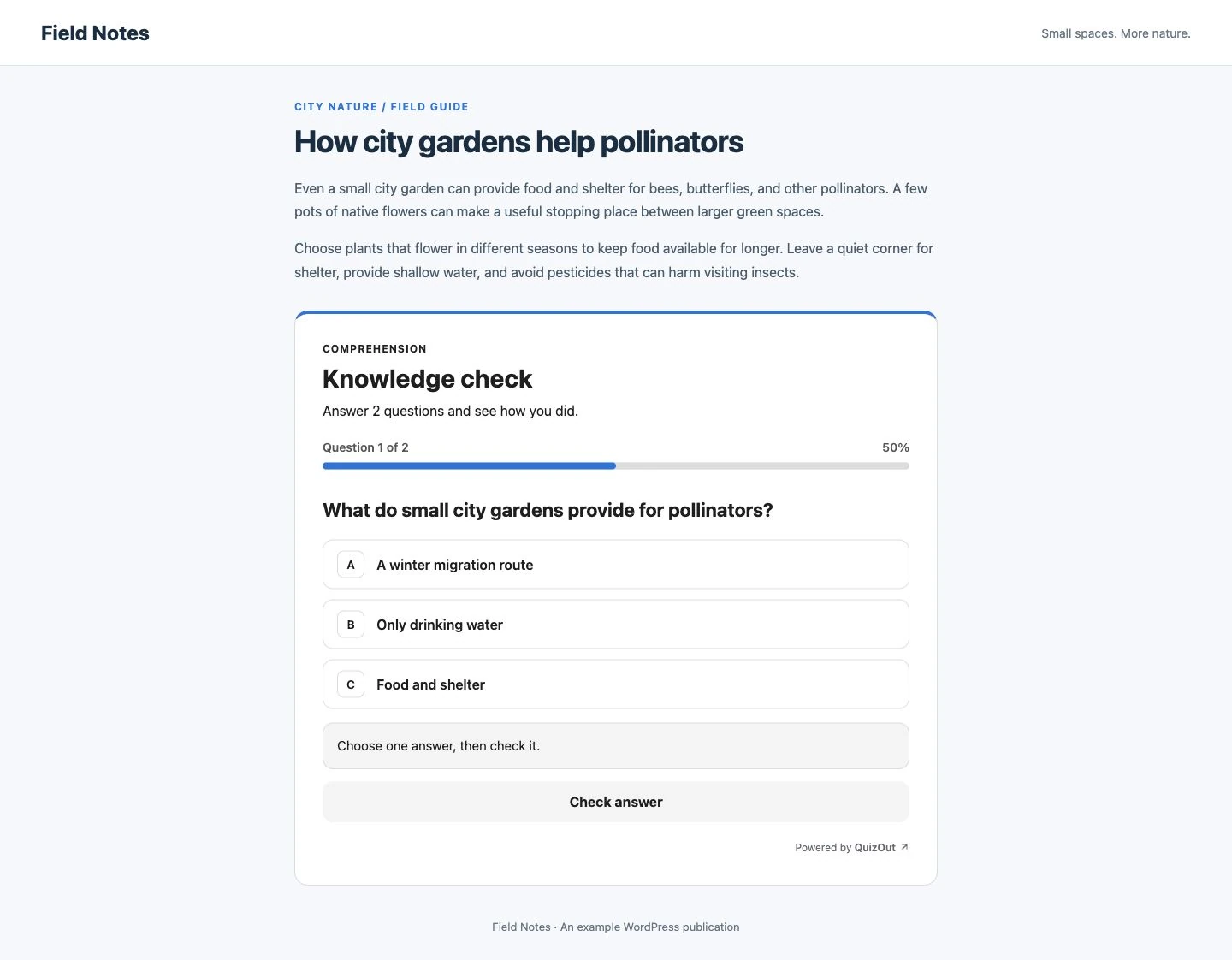
05 Readers answer one accessible, single-select question at a time inside the published post.
View screenshot 5 at full size -
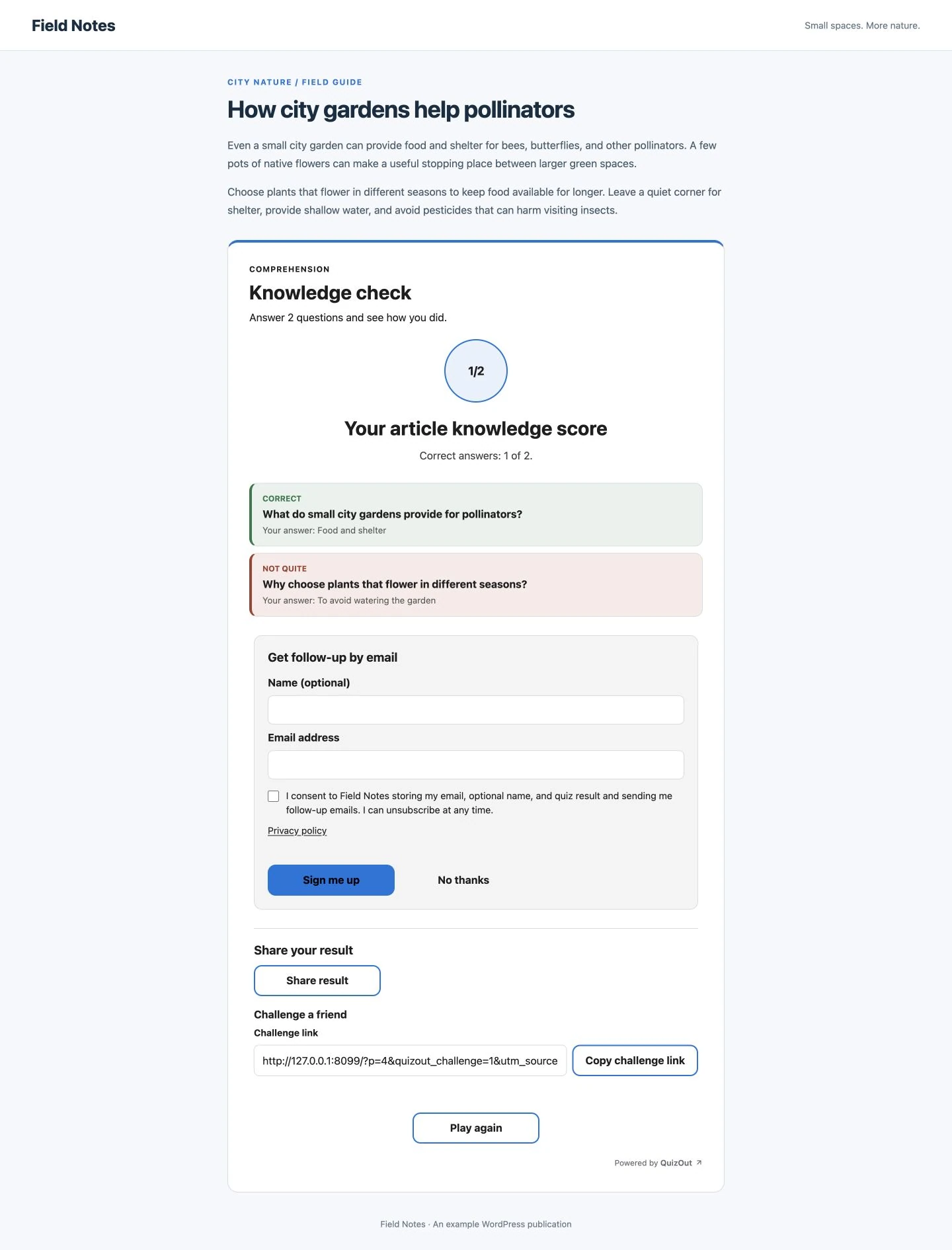
06 Readers see answer feedback, can opt in for follow-up, and choose whether to share or challenge a friend.
View screenshot 6 at full size
What crosses the data boundary
Post content is processed for generation. Reader activity stays in WordPress.
The plugin sends the published article to the QuizOut service to create a quiz. The service returns the quiz to WordPress and does not retain the source or generated quiz by default. Opt-in quality samples are the documented exception.
- ✓Generated quizzes and editor changes are stored in WordPress
- ✓Plays, answers, results, analytics, and leads stay on your site
- ✓The hosted service retains site, usage, account, and billing records
- 1WORDPRESSPost published
The article supplies the source for the quiz.
- 2QUIZOUT SERVICEQuiz generated
The quiz is returned to the plugin.
- 3WORDPRESSQuiz stored and played
Reader interaction and results stay local.
QuizOut for WordPress
Add a playable quiz to your next WordPress post.
Download and install the plugin for free. Create an account only if you decide to move to a paid generation plan.
10 free quizzes to start, then 3 a month. No account or card required.