Plugin features

What the QuizOut WordPress plugin does.

QuizOut generates quizzes from posts, gives editors control in wp-admin, places approved quizzes on the site, and stores reader activity in WordPress.

Generation and editorial control

Create quizzes without adding a separate quiz builder.

Use automatic generation for new posts or bulk generation for your existing archive, then review the result in the WordPress editor.

Automatic and bulk quiz generation

Choose eligible post types. Generate in the background when a post is published, or create quizzes for selected existing posts in bulk.

See the five-step workflow →
Knowledge quiz Check understanding Scenario quiz Apply the article Scorecard Calculate a result Recommendation Suggest an outcome
Review, edit, and approve

Change questions, options, answers, feedback, or results in wp-admin. Regenerate without using another post allowance, and require approval before placement.

Placement and styling controls

Place quizzes automatically, use the QuizOut block, or add a shortcode. Choose the primary colour and a compact layout to suit the site.

Local scoring, analytics, and leads

The plugin scores plays, records answers and results, reports performance, and can collect consent-based leads. Those records stay in WordPress.

ReaderWordPressstored locally

Real WordPress product tour

See the plugin from connection to reader result.

These are real captures from the sanitized, repeatable QuizOut WordPress demo. The interactive quiz demos are separate playable examples, not screenshots of wp-admin.

Open the separate interactive demos →
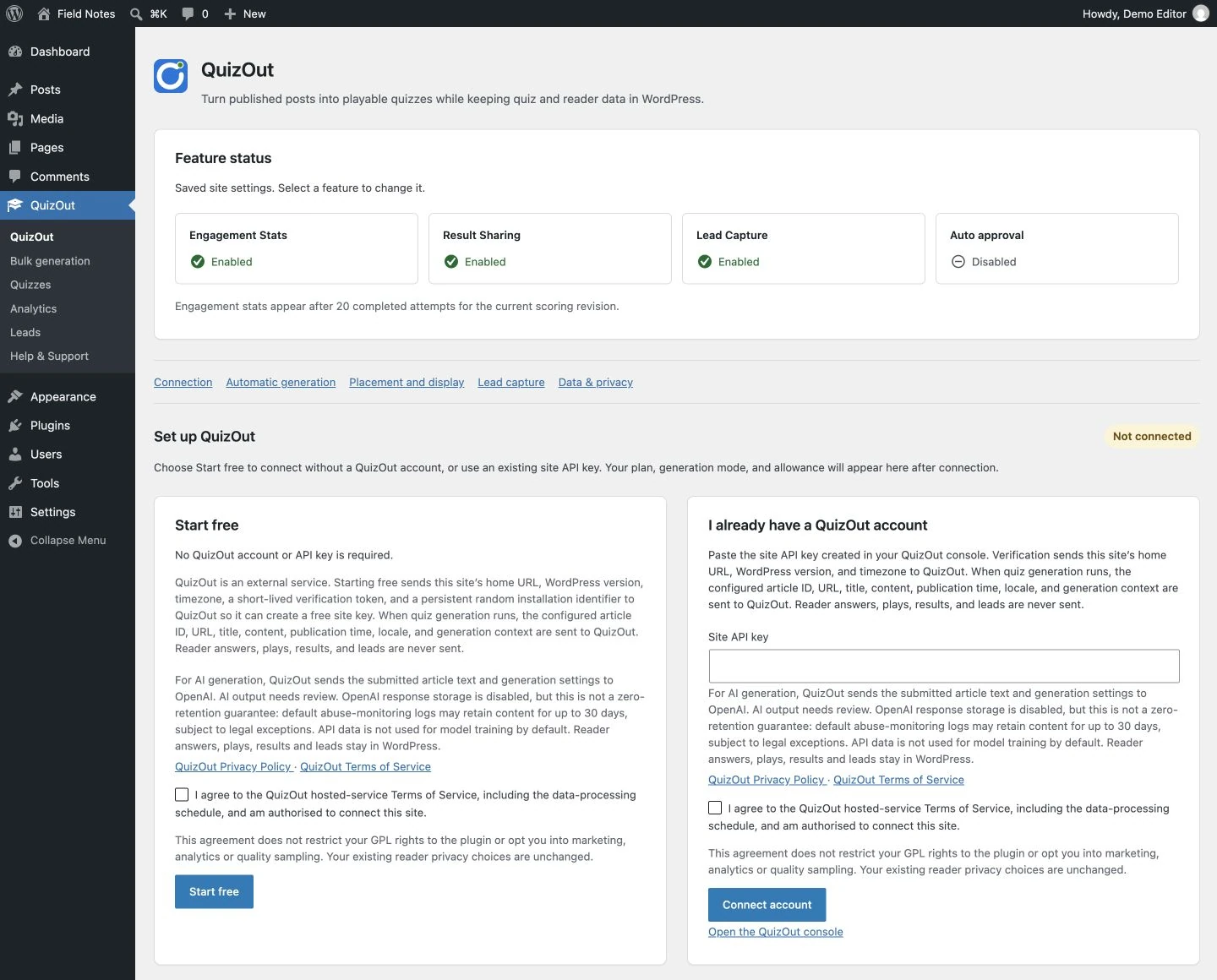
  1. QuizOut connection screen showing Start free and an existing-account site API key field.
    01Start free without an account, or connect a site key from an existing QuizOut account.
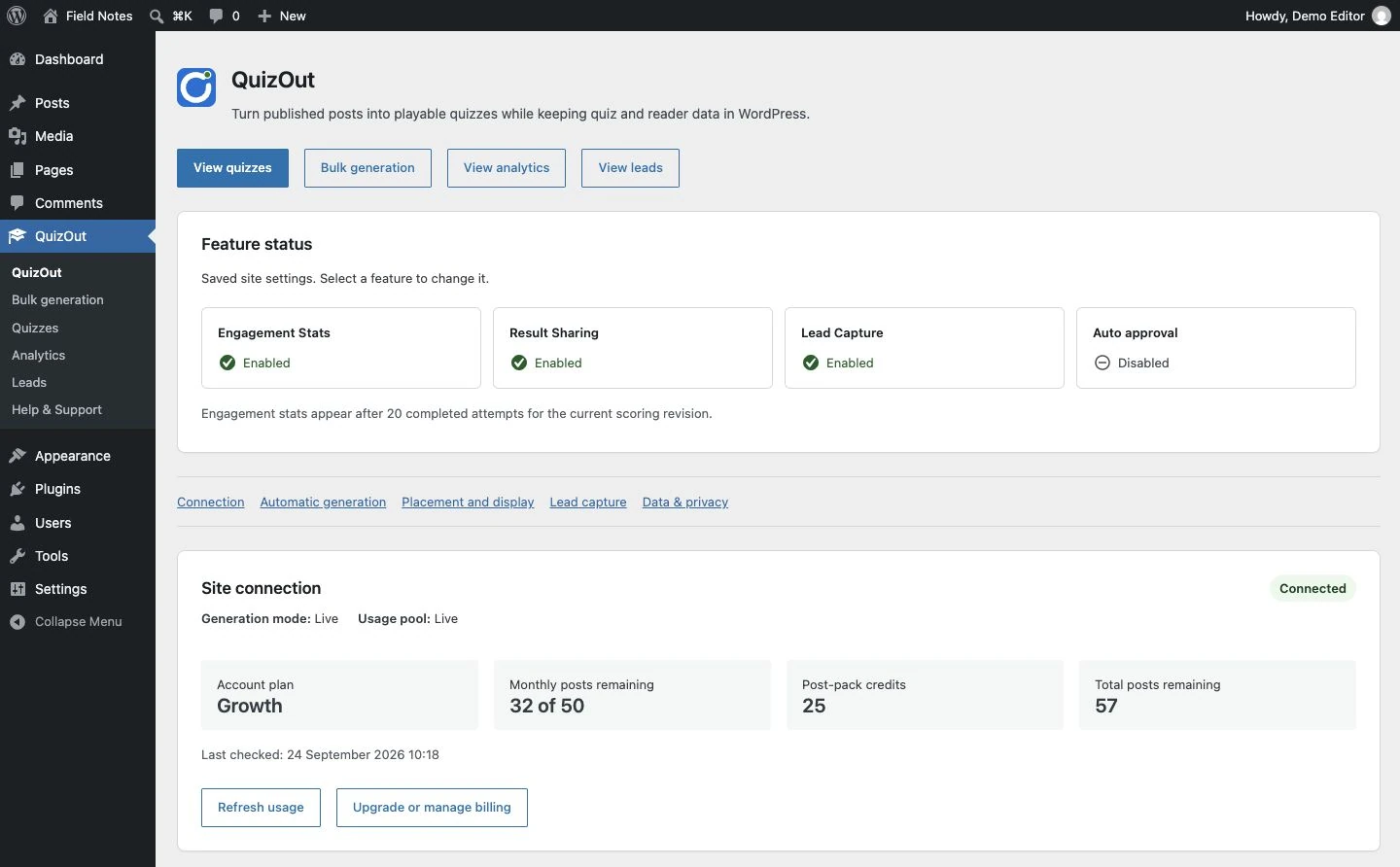
  2. QuizOut connected status showing a Growth plan, monthly allowance, post-pack credits, and total remaining quota.
    02Check the connected plan, monthly allowance, post-pack credits, and current total quota.
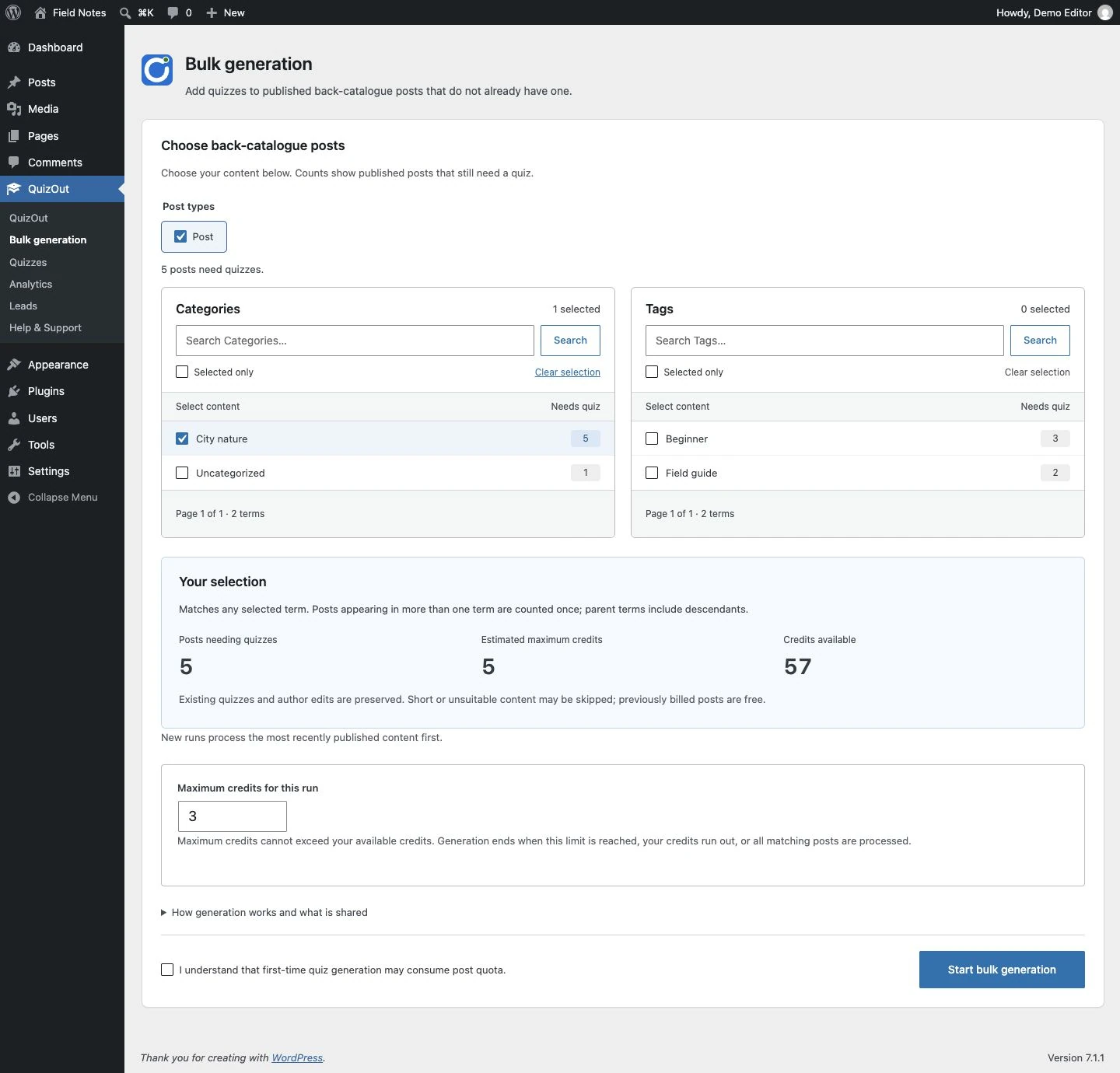
  3. QuizOut bulk generation screen with post type, category, tag, matching-post, and quota controls.
    03Preview eligible published posts before starting a protected bulk-generation run.
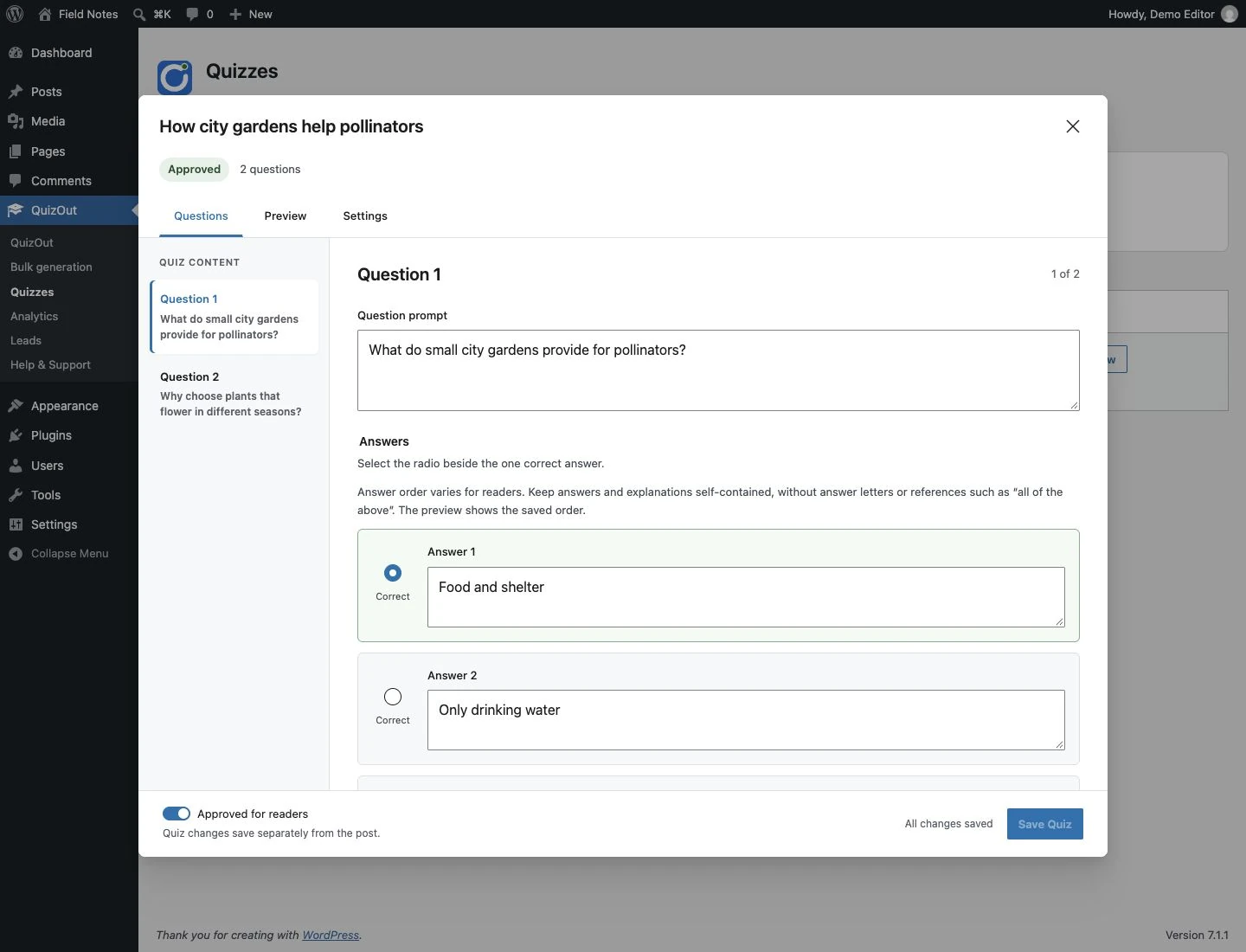
  4. QuizOut panel in the Gutenberg post editor showing Edit, Preview, approval, and per-post placement controls.
    04Review in Gutenberg, edit or preview questions, approve the quiz, and set per-post placement.
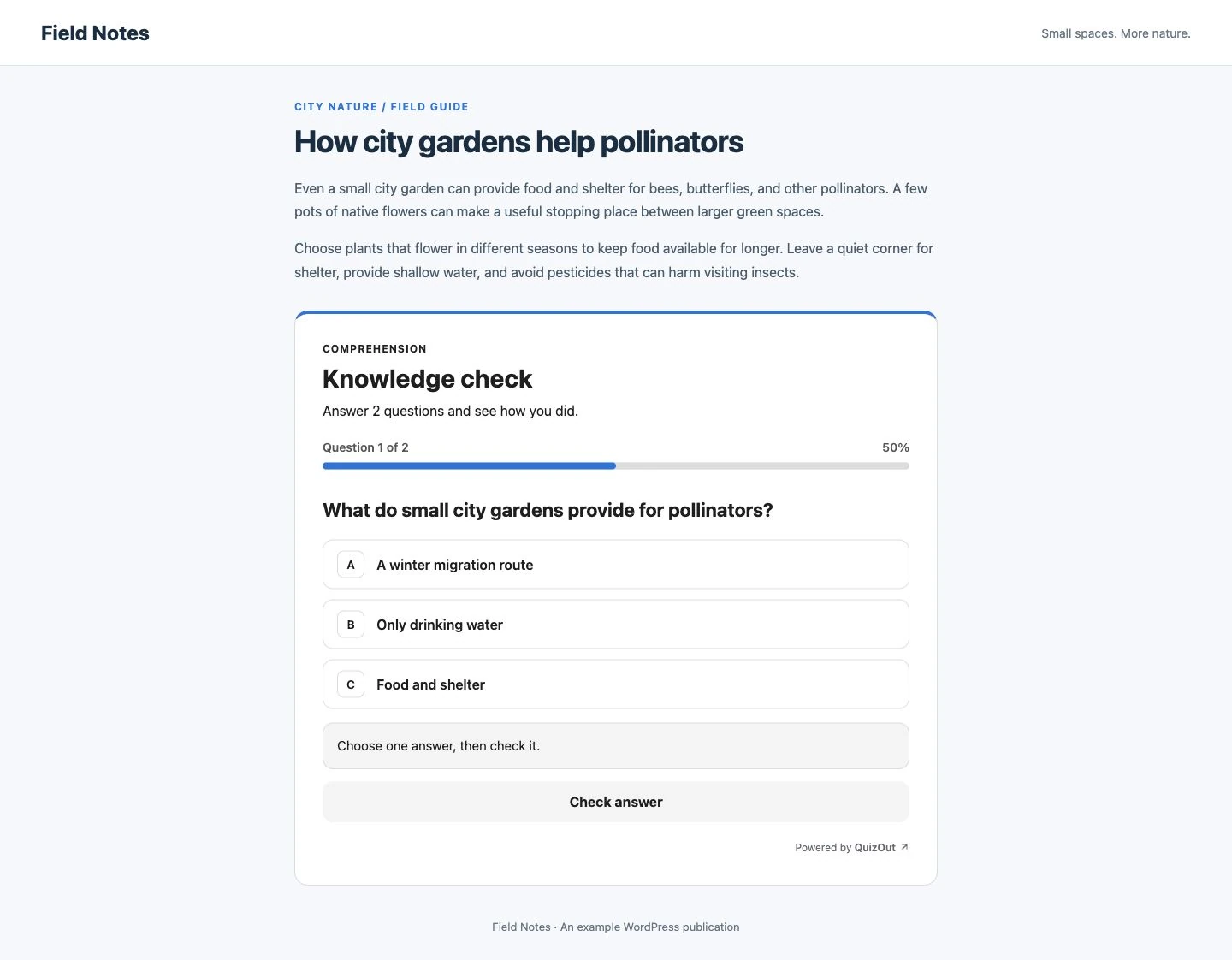
  5. Published WordPress post showing the first single-select question in a QuizOut knowledge check.
    05Readers answer one accessible, single-select question at a time inside the published post.
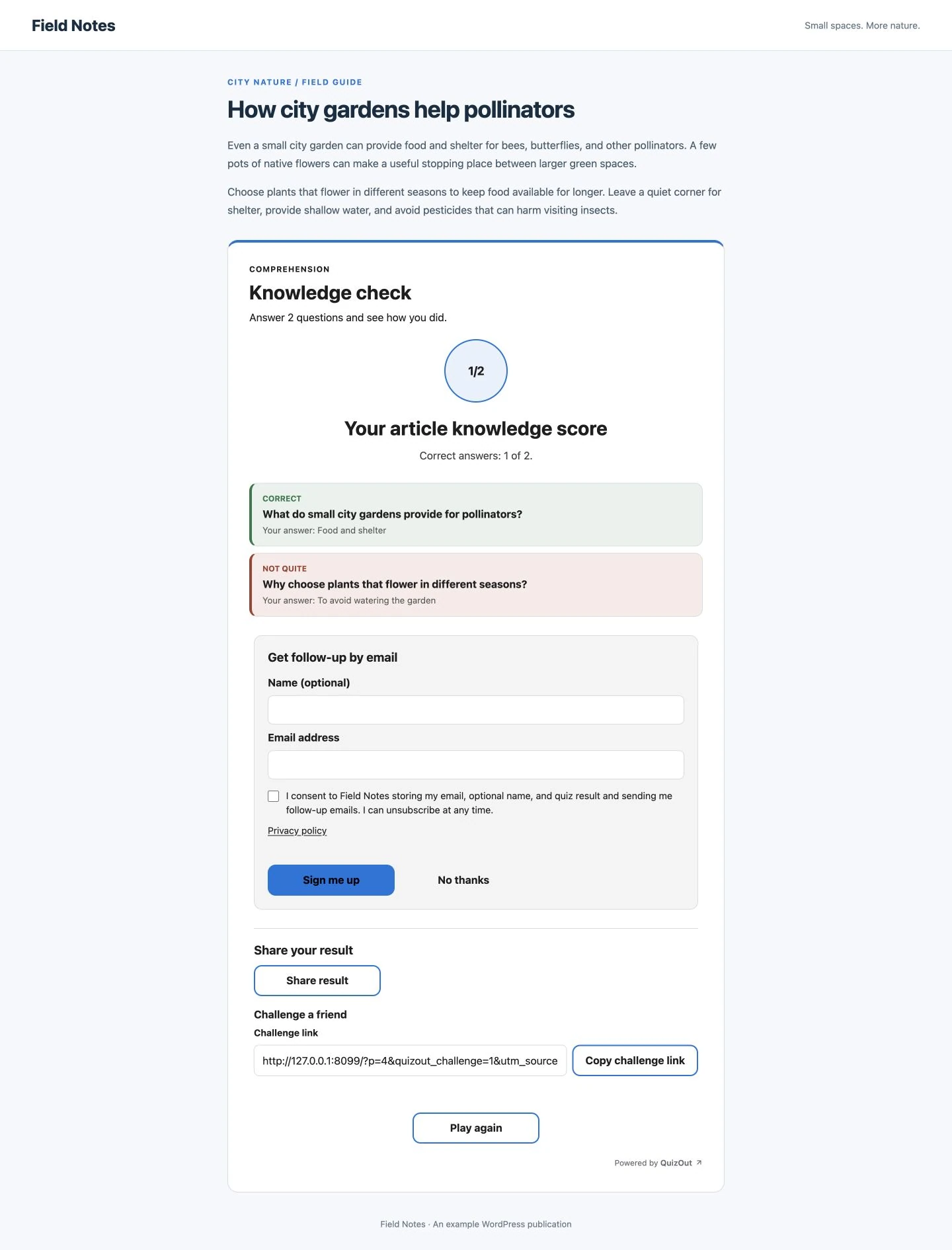
  6. QuizOut result showing two correct answers, a saved lead opt-in, result sharing, and challenge-link controls.
    06The result confirms the local opt-in and offers privacy-minimal sharing and challenge controls.

WordPress settings

Decide what gets a quiz and when readers see it.

Configure automation by post type, keep an editorial approval step, and continue serving cached approved quizzes if generation is temporarily unavailable.

QuizOut settings · WordPress
PLUGIN SETTINGS

Quiz workflow for this site

Generation happens in the background. Published quiz and reader data remain in WordPress.

QuizOut for WordPress

Add a playable quiz to your next WordPress post.

Early Access is free with no signup. Back up your site and try the plugin on staging before using this pre-release version on a live site.

Contact QuizOut

Questions about the WordPress plugin?

Send us a message about installation, plans, data handling, or using QuizOut on your site.

We store the details you submit so we can reply. Quiz and reader data stay on your WordPress site.