Automatic and bulk generation
Generate when an eligible post is published, or create quizzes for a batch of existing posts from wp-admin.
See every plugin feature →QuizOut WordPress plugin
QuizOut creates quizzes from your WordPress posts. Review and edit them in WordPress, then let readers play.
From installation to reader quiz
You keep writing posts. QuizOut adds a reviewable quiz workflow inside WordPress.
10 free quizzes to start, then 3 a month. Your 30 days start with your first successful quiz. No account or card required.
Once you have access, activate the plugin without creating an account, then choose the eligible post types and placement.
The plugin sends the published article for quiz generation in the background.
Open the post in wp-admin to edit, regenerate, approve, or hide its quiz.
The approved quiz appears with the post. Plays, answers, results, and leads stay on your site.
Real WordPress product tour
These screenshots show QuizOut on an example WordPress site, from connecting the plugin to a reader’s result.
Play a quiz demo →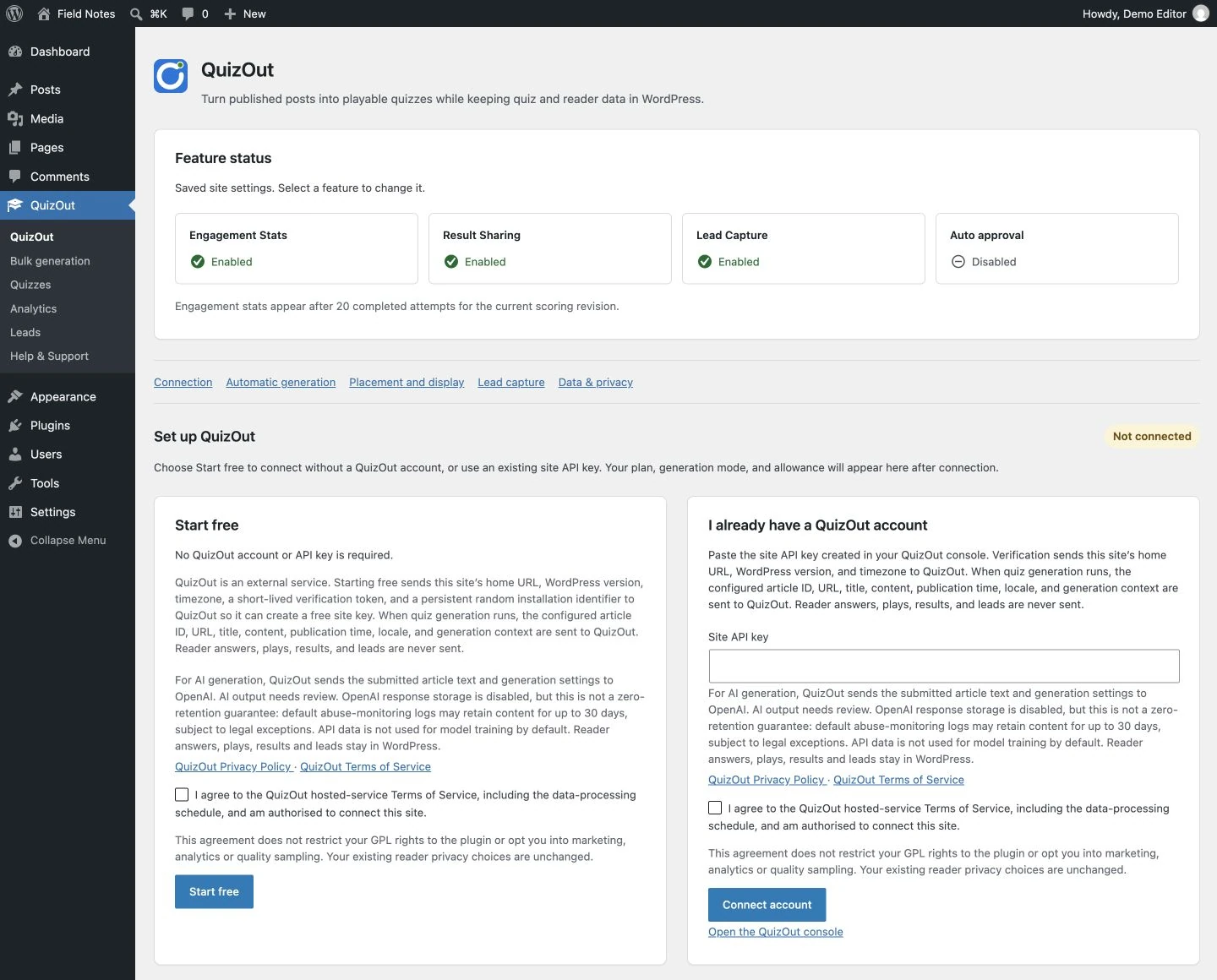
Review the service details, then start free or connect a site key from your QuizOut account.
View screenshot 1 at full size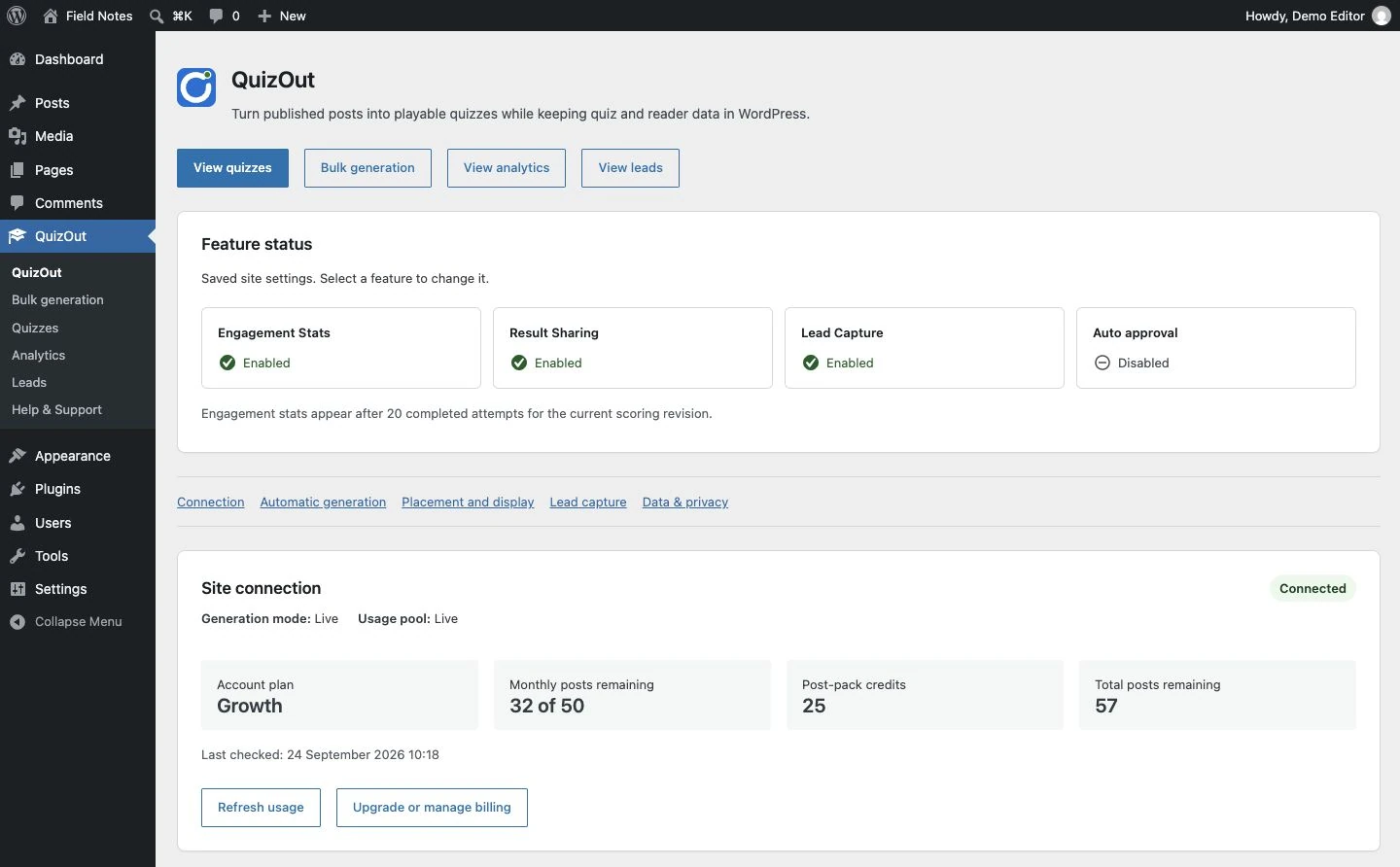
Check feature settings, your account plan, generation mode, and available monthly and post-pack credits.
View screenshot 2 at full size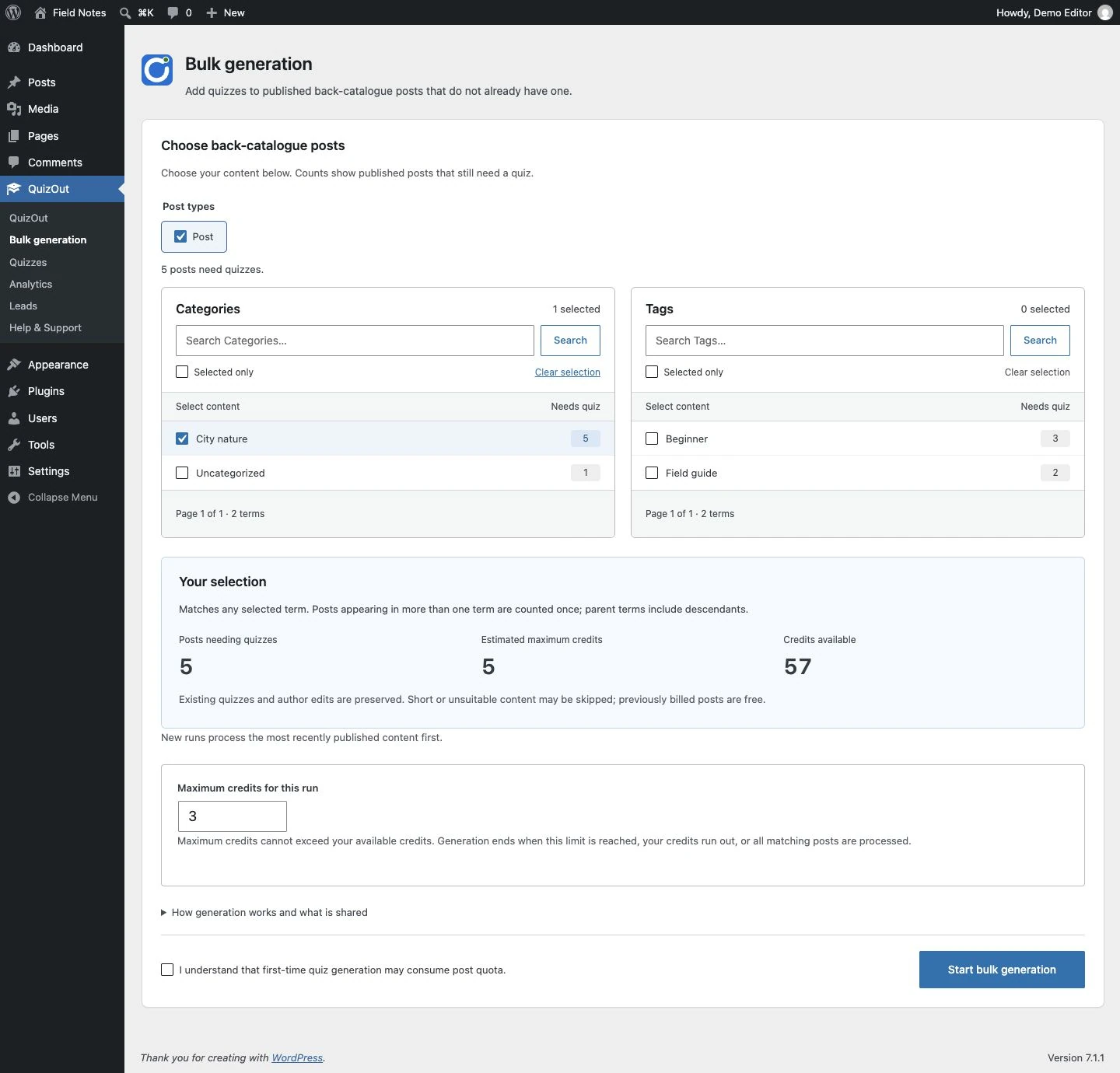
Find published posts by category or tag, check estimated credits, and set a maximum for each bulk run.
View screenshot 3 at full size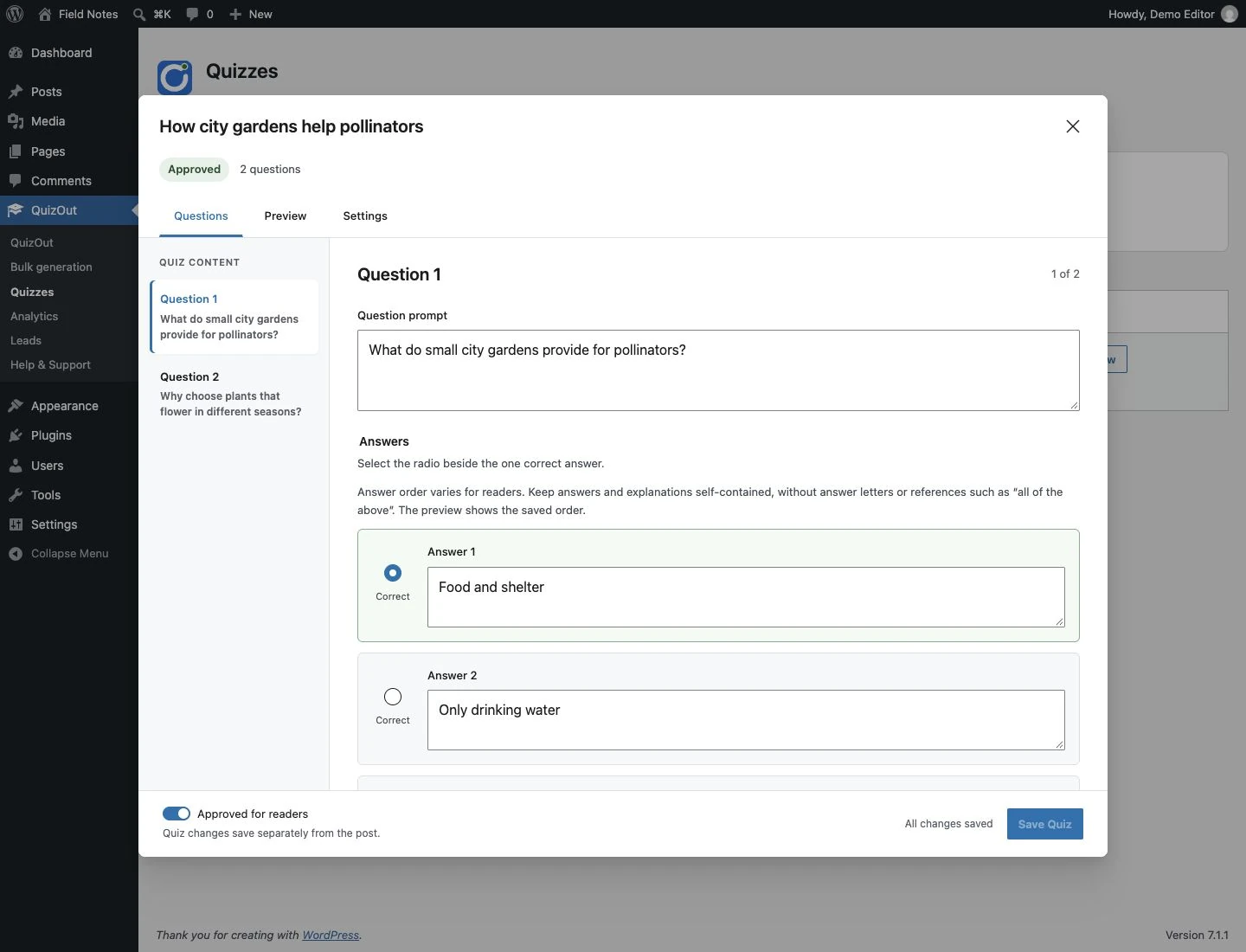
Open a quiz from the library to edit questions and answers, preview it, and approve it for readers.
View screenshot 4 at full size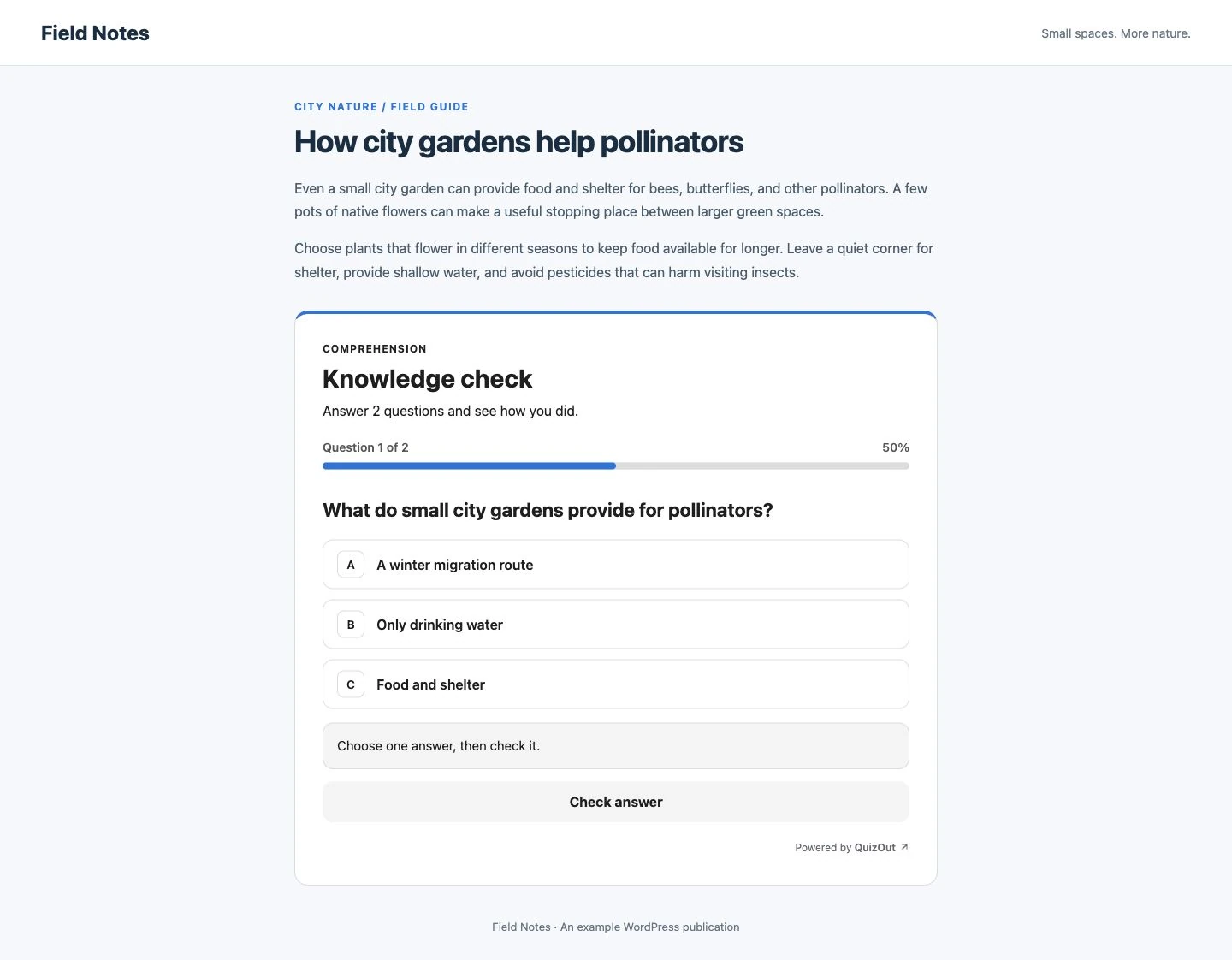
Readers answer one accessible, single-select question at a time inside the published post.
View screenshot 5 at full size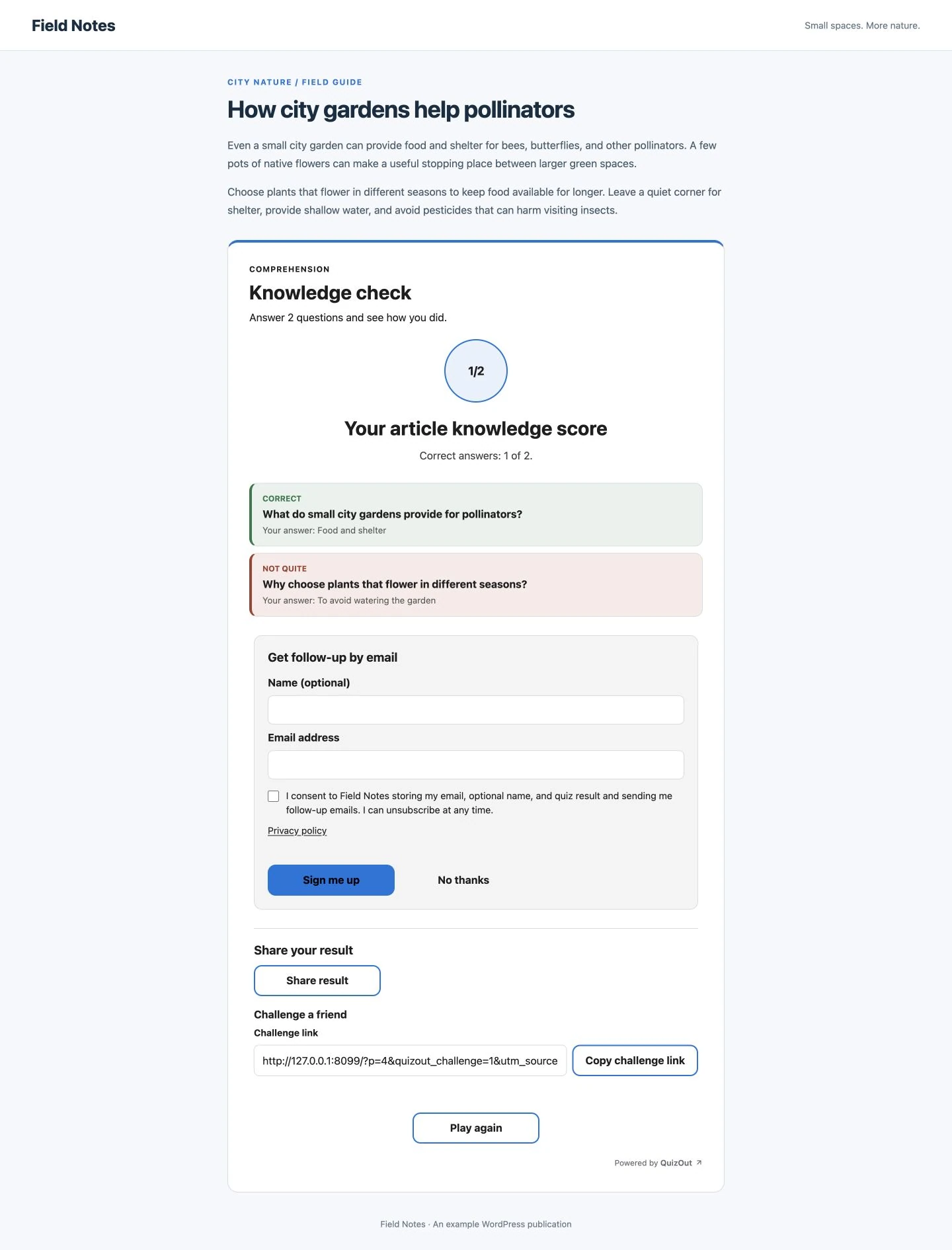
Readers see answer feedback, can opt in for follow-up, and choose whether to share or challenge a friend.
View screenshot 6 at full sizePlugin capabilities
QuizOut works with new and existing posts, while keeping the quiz and reader records in your WordPress database.
Generate when an eligible post is published, or create quizzes for a batch of existing posts from wp-admin.
See every plugin feature →Edit questions and answers, regenerate the quiz, or require approval before placement.
Use automatic placement, the QuizOut block, or a shortcode, then match the quiz colour to your site.
View quiz performance and optional consent-based leads without sending reader activity to QuizOut.
WordPress remains the system of record
QuizOut processes article content to generate a quiz and returns it to the plugin. The approved quiz is cached in WordPress, so readers can keep playing if the generation service is temporarily unavailable.
QuizOut for WordPress
Download and install the plugin for free. Create an account only if you decide to move to a paid generation plan.
10 free quizzes to start, then 3 a month. No account or card required.